
The dashboard, page by page
The Energy Node dashboard is a single statically linked Go binary. Templates,
CSS and JavaScript are compiled into it with go:embed. There is no build
step, no CDN and no server side database. The dashboard renders HTML on the
server, pushes value updates over SSE and keeps chart history in the browser.
The UI is in German and English. Each browser picks its language with the
DE | EN switch in the header (see the localization notes in the repository).
The screenshots and the labels quoted here are the English ones. Device and
entity names are not translated. They come from MQTT Discovery in whatever
language the devices announce them, which is German for the fixture devices in
the screenshots.
All screenshots come from the local smoke test with the docs-screenshots
preset: the real dashboard against a fixture broker, without a Raspberry Pi or
any device.
The window frame
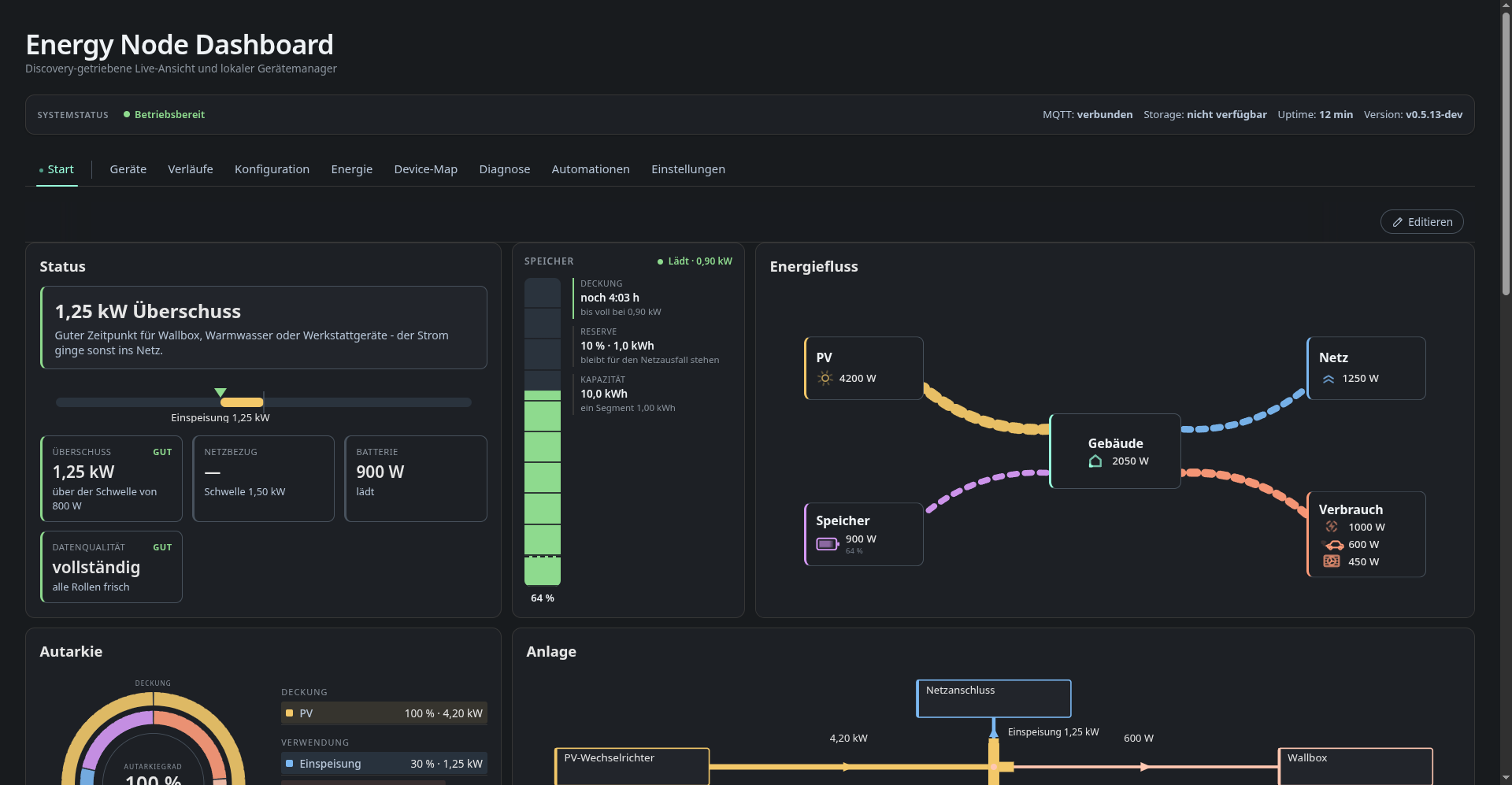
Every tab has the same frame.
The system status bar shows the broker connection, storage health, uptime and dashboard version. You can choose which of these fields appear or switch the bar off.
The tab bar starts with the layout pages, which are your own overview pages named in the layout editor. After the divider come the fixed tabs: Devices, History, Configuration, Energy, Device Map, Diagnostics, Automations and Settings. When they do not all fit in one row, the last ones move into a More list. Under Settings, Appearance you can switch this to a dropdown menu on narrow screens instead.
The frame also shows who you are logged in as. Over plain HTTP the dashboard
only offers continue as guest and refuses the admin login unless the request
arrives over HTTPS. A guest can look at everything and edit layouts and
automation rules. The protected actions need a registered user with the
matching role and HTTPS: the MQTT and bridge configuration (mqtt_config) and
restart, reboot and shutdown (system_actions). See
operating/secrets.
Panels load lazily. The browser only fetches the HTML fragment, scripts and stylesheets of the active tab, which keeps the first paint cheap on a Raspberry Pi 1.
Pages
- Overview and layout editor
- Devices
- History
- Energy
- Device map
- Automations
- Diagnostics
- Configuration editor
- Settings
- Colour schemes
See also
- Device services: where the dashboard’s data comes from
- HTTP API: the
/api/v1API behind every page - Data flows: where each value comes from
- Reverse proxy: running the dashboard under a sub-path