
Overview and layout editor
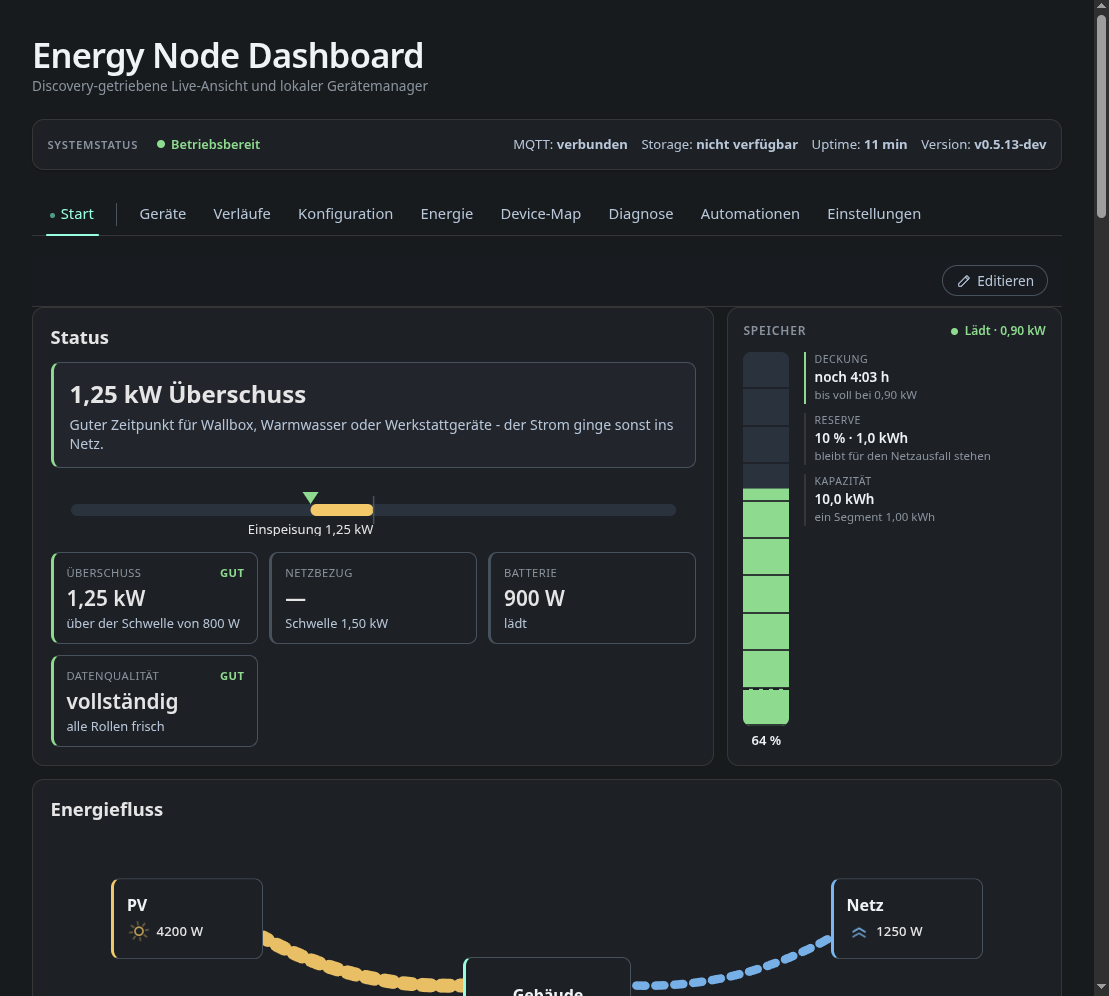
The start tab is a grid of cards that you arrange yourself. The screenshot shows the fixture’s cards.
The status card sums up the current situation in one sentence (“1.25 kW surplus. Good time for the wallbox …”). Below it a bar shows where the balance sits between grid import and feed-in, followed by tiles for surplus, grid draw, battery and data quality with their thresholds.
The battery status card has a segmented charge column, the time to full or empty, the reserve held back for a grid outage and the usable capacity.
The energy flow card draws PV, storage, building, grid and the individual loads as animated flows. The animation speed follows the actual watts.
The self-sufficiency ring shows coverage against use, split by source and by consumer.
The system diagram (titled Installation on the card) is a wiring style diagram of the site with the live power on each leg.
All cards work only from MQTT Discovery data and the role assignment on the Energy tab. None of them is hard-coded to a particular device. Overview cards describes every card and its options.
The layout editor
Edit turns the overview into an editor. You can drag and resize cards, add pages and pick new blocks from the panel on the right, so one layout page can mix computed energy cards with a raw device tile or a single measured value. The layout editor page describes how it works. Overview cards lists every block with its options, defaults and minimum width.
History tile
The block History puts a chart from the history page on an overview page. In its options, Source picks a saved history view. The tile then follows that view: change the view on the history page and the tile changes with it. Own settings lets the tile keep its own title, period, statistic and series. Switching from a view to own settings starts from the view’s values. Series are picked in a search field. Without a selection the tile shows all recorded series.
The tile only shows what this browser has recorded or received through the history exchange, like the history page. On a device that has not recorded yet it stays empty. If its view is deleted, the tile says so until you pick another source.
In the default exchange mode the tile asks other devices and Home Assistant only for its own period.