
Settings
Settings has eight sub-tabs: General, Appearance, History, MQTT, Tailscale, TinyTuya, Versions and System. Tailscale and TinyTuya only appear when the matching service is installed.
| Page | Tabs | What you set there |
|---|---|---|
| General | General | health threshold, sweep and live update interval, storage check, settings revisions |
| Appearance | Appearance | default view, colour scheme, language and number format |
| History | History | recording and retention in the browser, exchange between devices, recording of the energy statistics |
| MQTT | MQTT | broker connection, the “Energy Node” device in Home Assistant, the bridge to the main site |
| Tailscale & TinyTuya | Tailscale, TinyTuya | the setup wizards for the tailnet and for Tuya devices |
| Versions & updates | Versions | installed versions, changelogs, update check and the update from the dashboard |
| System | System | current user, restart and shutdown, the central configuration file |
General
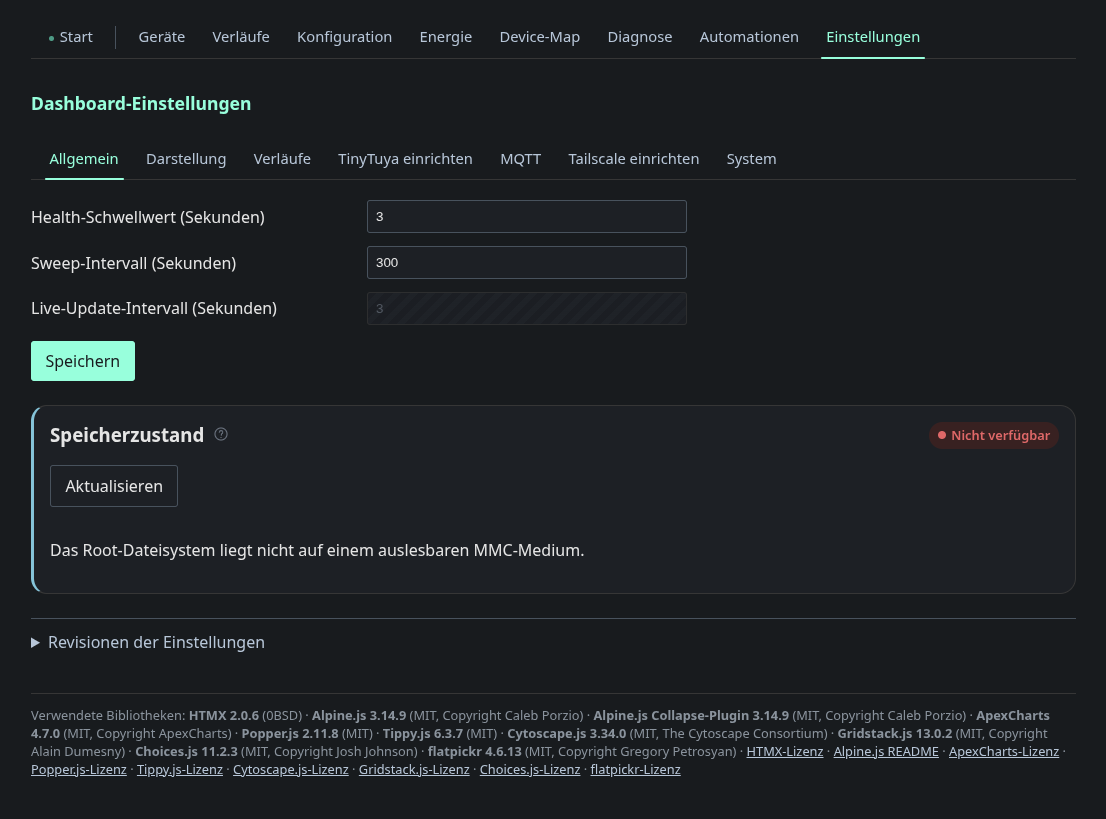
This tab holds the health threshold (will be replaced in future: diagnostics cleanup, the unit, range and default change), the sweep interval, the live update interval and the storage health check. On a Pi the check reads the SD card’s wear counters. When the root filesystem is not a readable MMC medium, the page says so. Settings are versioned, and Settings revisions restores an earlier state. The footer lists every bundled JavaScript library with its version, license and license link.