
Energy Node Companion for Home Assistant
Energy Node Companion connects Home Assistant with the dashboard of your node. The sensors themselves come from MQTT discovery, so the integration creates none of its own.
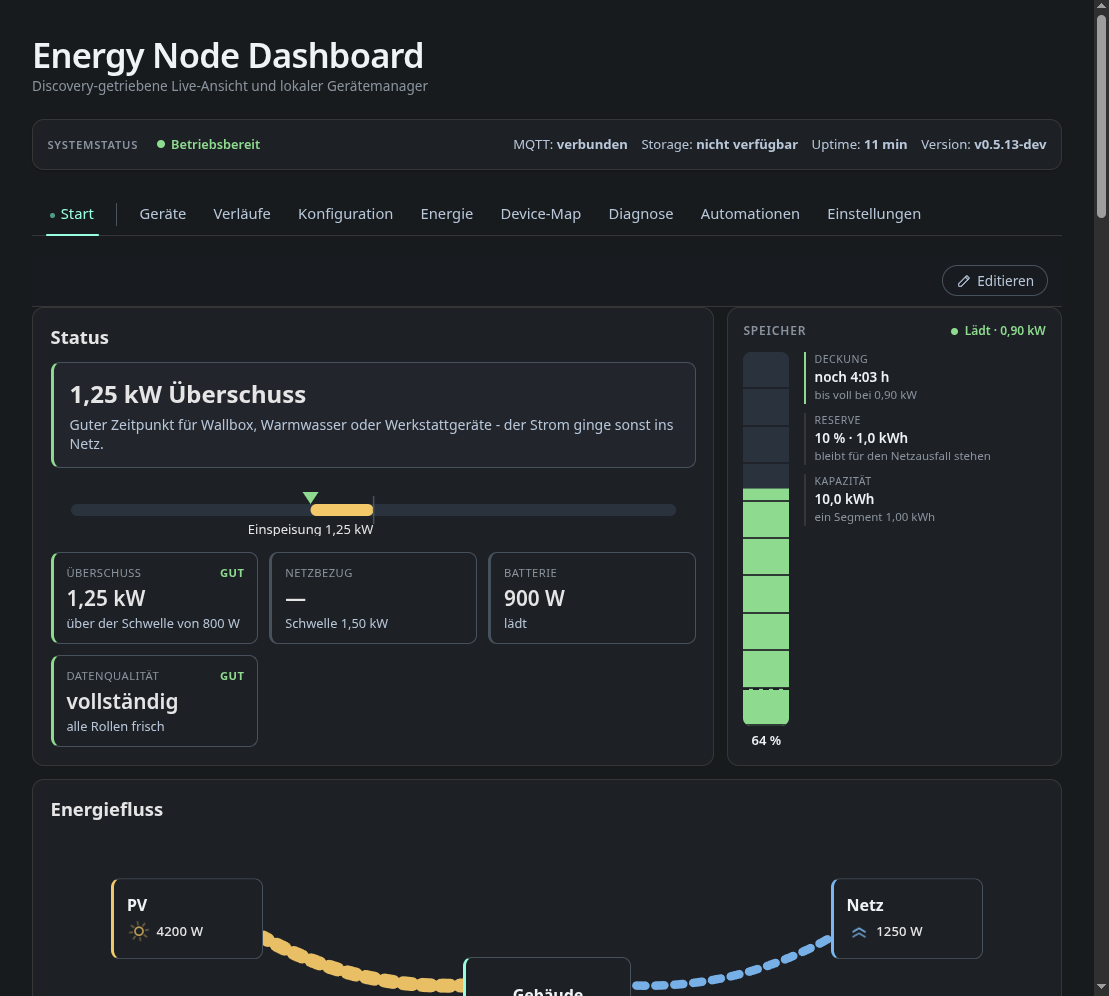
It puts the node’s dashboard into the Home Assistant sidebar. Home Assistant passes the page through, so it opens wherever you can open Home Assistant, see Dashboard in the sidebar.
It also fills gaps in the dashboard’s history charts. The dashboard keeps its history in each browser, and a phone that was closed overnight shows an empty chart for the night. Home Assistant has the node’s sensors in its recorder and supplies the missing hours and days from there, see History backfill.
The integration never changes the node’s configuration and never changes your Home Assistant entities. What you change on the sidebar page is your own action, as in any other browser.
Requirements
- Energy Node dashboard v0.8.5 or newer. Older dashboards do not announce which series they record, and the setup stops with “The dashboard is too old. Update the energy-node first.”
- Home Assistant and the node in the same Tailscale tailnet.
- The node’s energy sensors in Home Assistant through MQTT discovery. The dashboard publishes them itself as the device “Energy Node” (see Dashboard).
- The Home Assistant recorder, which is on by default. How far back the
integration can fill depends on the recorder’s
purge_keep_days, 10 days by default.
Install via HACS

The button opens HACS in your Home Assistant with the repository pre-filled. Or add it by hand:
- Open HACS → ⋮ (top right) → Custom repositories.
- Repository URL:
https://github.com/Developer-Simon/ha-energy-node-companion - Category: Integration → Add.
- Search for Energy Node Companion → Download.
- Restart Home Assistant.
Manual install
- Download the latest release from ha-energy-node-companion.
- Extract it to
<config>/custom_components/energy_node_companion/. - Restart Home Assistant.
Next steps
- Setup & options: connect the integration and choose what it does.
- Dashboard in the sidebar: who sees the page and how the sign-in works.
- History backfill: which series are supplied and how the exchange works.
- Troubleshooting: error messages and where to report problems.
License
MIT, see LICENSE.