
History backfill
The dashboard keeps its history in each browser. A browser only knows the hours it was open itself, so a phone that was closed overnight shows an empty chart for the night. With Supply history on, Home Assistant fills these gaps from its recorder. It joins the dashboard’s history exchange as a permanent peer. It answers requests for data but never sends any of its own.
What it supplies
The integration offers only the series the dashboard announces as recorded.
| Dashboard series | Home Assistant source |
|---|---|
| PV power | energy_node_pv_power |
| Grid power | grid import minus grid export |
| Battery power | battery charge minus battery discharge |
| Battery state of charge | energy_node_battery_soc |
| Wallbox power | energy_node_wallbox |
| Heat pump power | energy_node_heat_pump |
| Custom category | energy_node_custom_<id> |
| Additional history entities | the MQTT entity with the same unique_id |
Load is not supplied. The dashboard’s load series is the measured load, while the Home Assistant sensor carries the total load including the computed part. Wallbox, heat pump and custom categories are supplied through their own sensors, once Energy Node has created them.
| Tier | Source | Fallback |
|---|---|---|
1m |
recorder states, weighted by how long each value held | none |
5m |
5-minute statistics | states, for entities without state_class and for derived series |
Units are converted to the dashboard’s unit, for example kW to W. A series whose unit cannot be converted (°C instead of W) is skipped. Unavailable values stay gaps and never become zeros.
The current minute is never delivered while it is incomplete. The browser never overwrites a value, so a half minute would stay half for good.
How you see it working
By default a browser only fills in what it shows. Open the history page or a page with a history tile for the period you missed, and the browser asks Home Assistant for exactly that period. A browser set to Always under Settings → History → On this device fills in the whole week right after it connects.
Open the dashboard in a browser that missed some time, then go to Settings → History (German: Verläufe). After the first backfill the status of the device exchange shows a second line:
Last filled in by Home Assistant.
In German: “Zuletzt ergänzt von Home Assistant.”
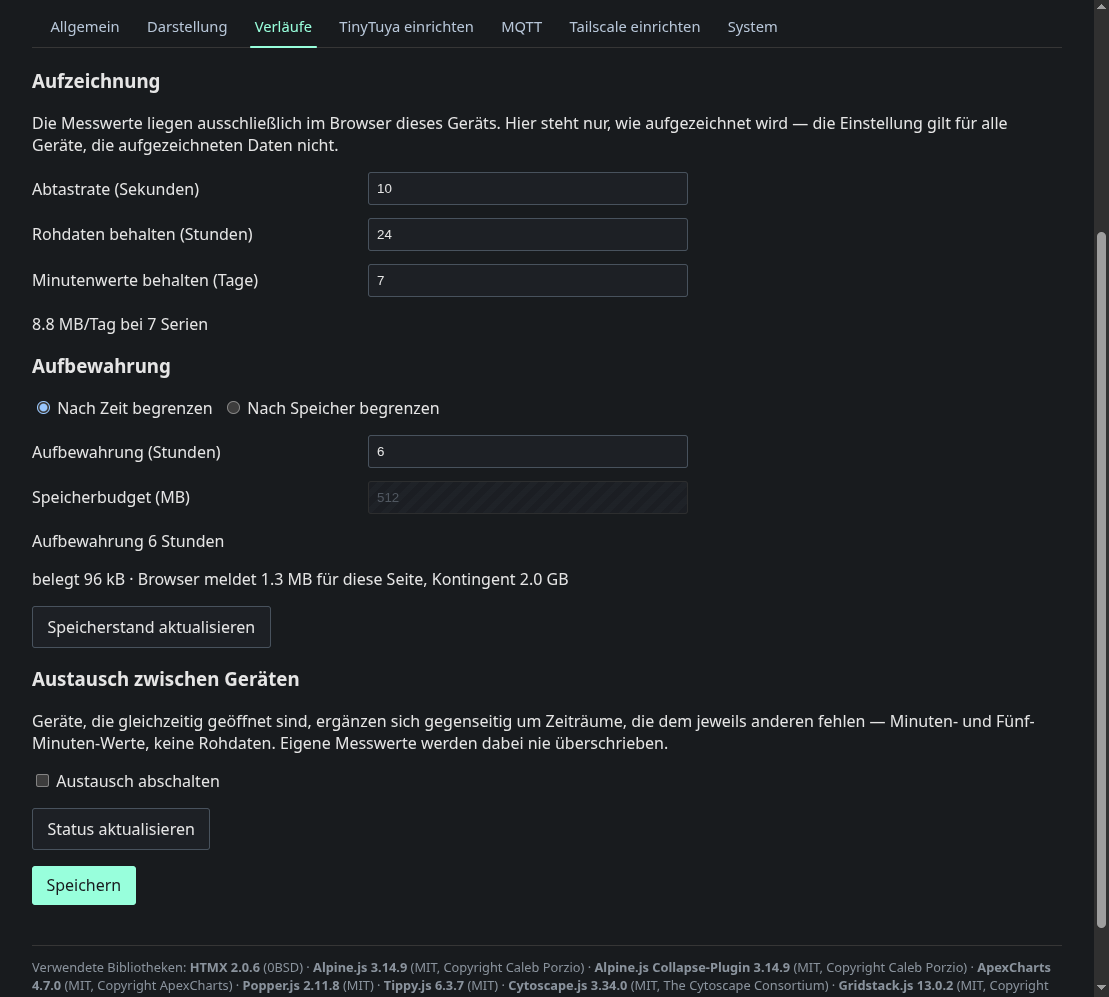
The history chart then shows the hours the browser had missed.
Energy statistics
With Supply energy statistics turned on (the default), Home Assistant also sends hourly energy per role from its long-term statistics. The dashboard uses it for its day, month and year statistics and prefers it over its own recording.
Without further setup the companion uses the power sensors that Energy Node registers in Home Assistant: PV, grid import, grid export, battery charge, battery discharge and consumption, and the sensors of the wallbox, the heat pump and each custom category. Home Assistant keeps their hourly means without a time limit, starting on the day the sensors appeared.
In the second options step you can pick an energy meter per role, a sensor with the state class total or total_increasing, for example the lifetime counter of your inverter. A meter is more exact and brings the history from before Energy Node was installed. Leave a role empty to use the automatic choice, which covers the wallbox, the heat pump and the custom categories as well.
How it works
The integration is an ordinary peer of the dashboard’s history exchange (protocol 1). The HTTP API describes the endpoints, and Data flows describes the exchange between devices.
- Login. The integration logs in as a guest and keeps the session cookie. It logs in again only after the dashboard answers 401, for example after a dashboard restart. Every guest login is written to the node’s SD card, so a plain network reconnect does not log in again.
- Announcement. It reads which series the dashboard records
(
GET /api/v1/history/exchange) and matches them to Home Assistant entities. - Offer. It holds the event stream
/api/v1/history/exchange/streamopen and tells every browser which hours and days it can supply, labelled “Home Assistant”. It recomputes this every ten minutes and sends a new offer only when it changed, so the browser’s raster and the offer line up. - Requests. A browser that misses rows asks for them, and the integration answers from the recorder in chunks of at most the announced row limit.
If the connection drops, the integration reconnects on its own, with a growing pause of 2 to 60 seconds.