
Settings: Appearance
The tab Appearance under Settings. The other tabs are listed on Settings.
Appearance
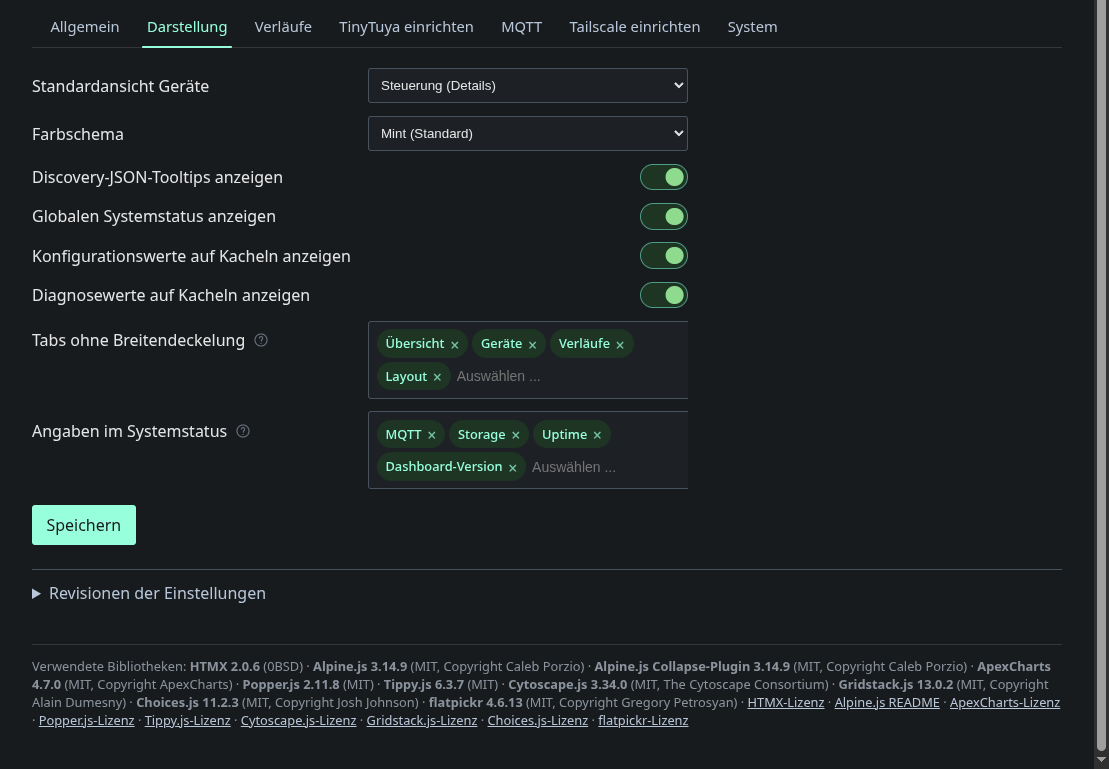
Here you set the default device view, the colour scheme and which extra information the UI shows: discovery JSON tooltips, the global status bar, and configuration and diagnostic values on tiles. Tabs without a width limit lets selected tabs use the full window width instead of the centred column. Items in the system status picks the fields in the status bar.
Main menu when space is short decides what the tab bar does when not all tabs fit. More keeps one row and moves the rest into a More list. Dropdown collapses the bar into a menu on screens narrower than 700 px. The choice applies to this browser only and takes effect immediately, without saving. The sub-tabs under Settings always use the More list.
The Formatting card holds the language of this browser, the switch that
shows or hides the DE | EN pill for everyone, and the number format.