
Settings: Checklist
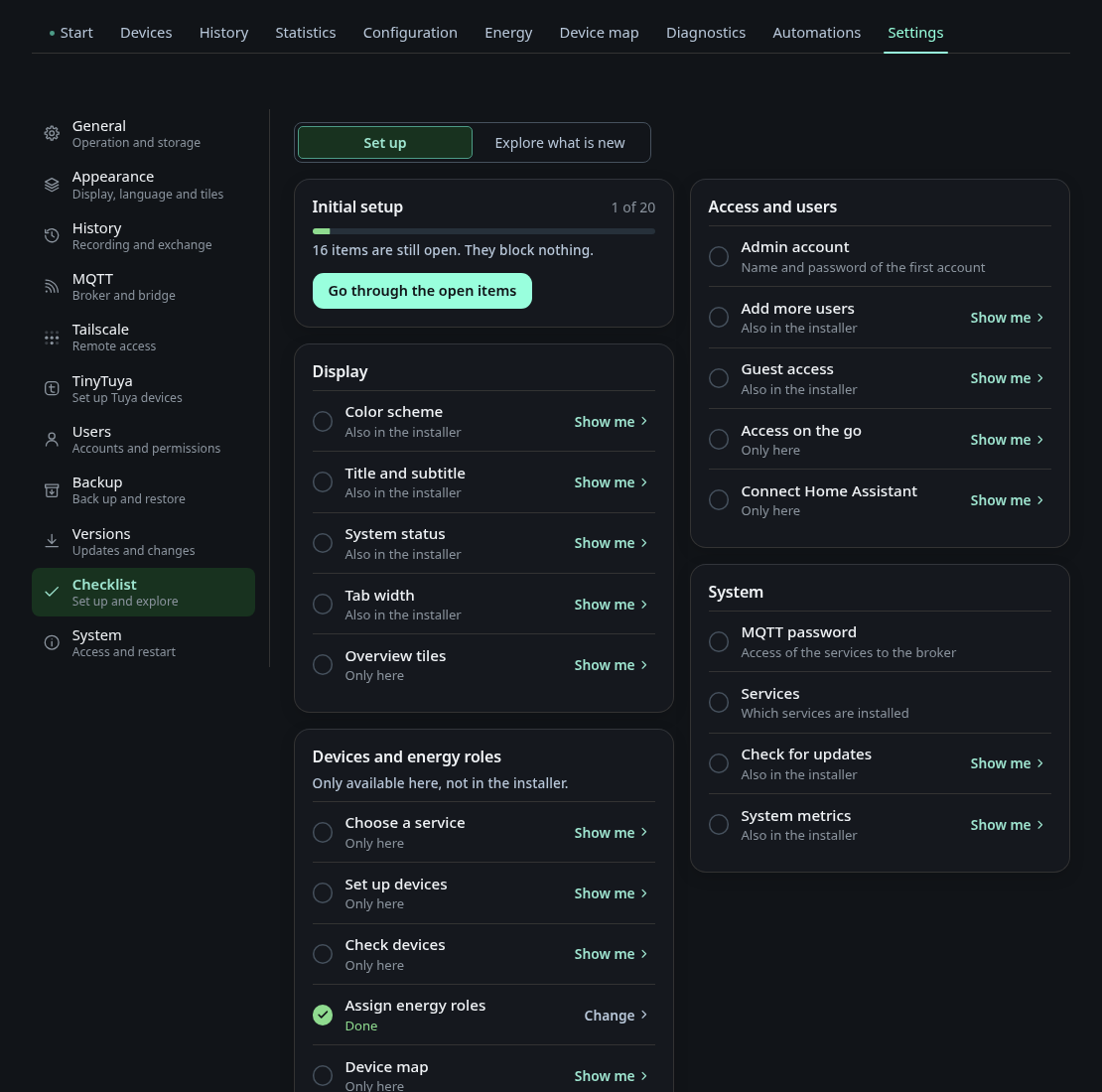
The tab Checklist under Settings lists the steps of the Onboarding and the new features of each version. A step on an existing install is checked off when its setting differs from the default. Steps that are not set up yet stay open. Choose a service, Set up devices, Check devices, Device map and Overview tiles are never checked off automatically, so you decide when they are done.
Press Later in the setup to leave a step for later. It stays open in the checklist, where you can come back to it at any time. Open steps block nothing, and the dashboard works without them.
Use Go through it again to repeat the setup. Under Explore what’s new the checklist lists the highlights of the last three versions. Start tour shows the tours you have not seen yet, and every tour can be replayed. Explore further back opens the earlier versions since v0.8.0.