
Updating a node
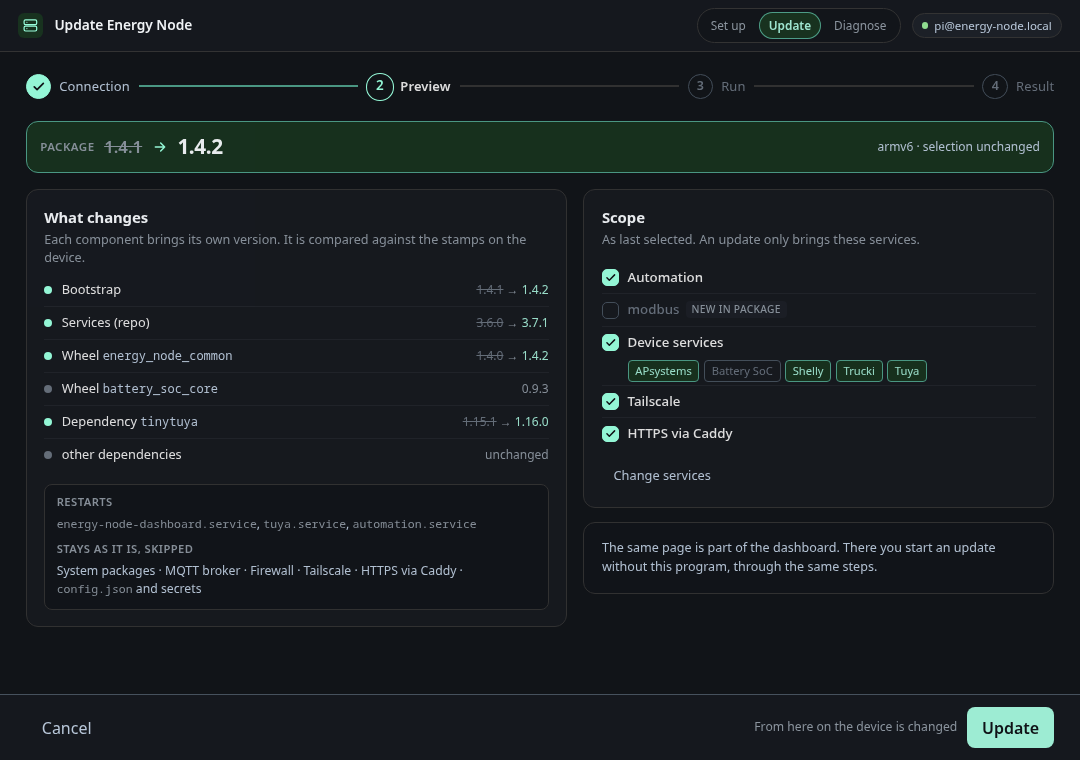
Choose Update and connect. The preview compares each component’s version with the stamp on the Pi. It lists what changes, which services restart and which steps are skipped because their work is already done. Every selected service shows its own version, and every unit that restarts names the reason: a new version, a changed shared library, a first install or an unknown installed version.
A step counts as done while nothing it uses has changed since its last successful run: its own script, the helpers it loads and the files it takes from the package. An update with a new dashboard therefore skips Mosquitto, the firewall, Tailscale and every unchanged service. Three steps still run once per package version. System updates bring in new packages, the Shelly webhook rule follows the port set in the dashboard, and the dashboard configuration is written on every run. The first update after this rule was introduced still runs every step once, because older stamps carry no record of the inputs.
By default only a service whose own version changed restarts. A change to
energy_node_common restarts every service, and a change to
battery_soc_core restarts only battery_soc. Restart all services
restarts every service unit anyway. A unit that is not running always starts,
and a node whose last run predates per-service versions restarts every service
once. The scope card shows the services as last selected. A service that is new
in the package stays off until you tick it under Change services.
Update runs the pending steps through the same code as a fresh install, so
there is no separate partial update path that could break.
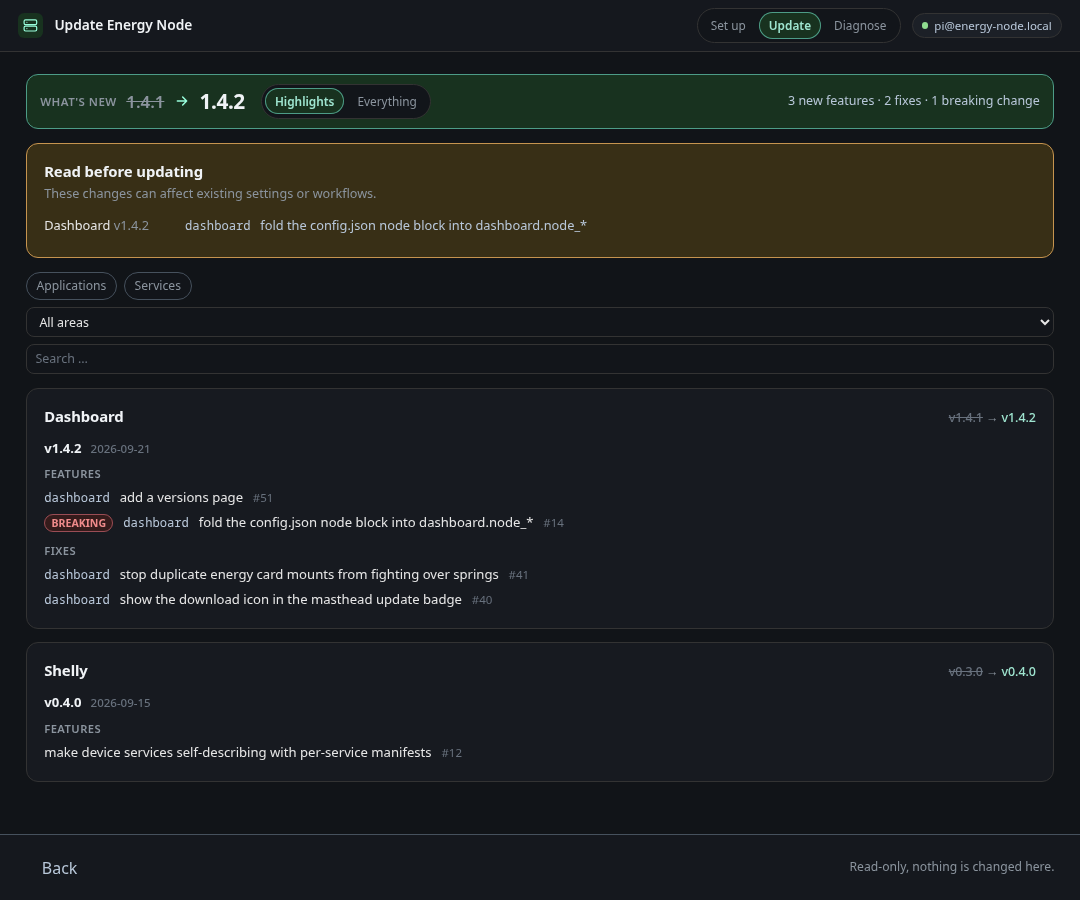
When the package carries a changelog, the first card adds a line such as “3 new features · 2 fixes · 1 breaking change” and a View changes button. The page behind it lists, per component, only what is newer than the version on the Pi. Breaking changes come first, then one card per component. The page opens on the Highlights, one line per merged change that matters to an operator. The switch at the top shows Everything, down to each commit. The counts in the first card are based on the highlights too. You can filter by kind (applications, services, libraries and so on) or by area, and search the text. The page works offline and changes nothing. A package without a changelog shows no such line.
The dashboard serves the same page under /redeploy/, behind its login, and
runs the same steps on the node itself, without this program and without SSH.
It can download the newest signed release package from GitHub, and its header
shows a notice when a newer release is out.